 Pausely
How it works
A breath, then a decision.
Pausely doesn't delete your apps or lock them away. It steps in at the moment you open one, asks for ten seconds, and lets you decide with a clear head.
- Setup, once
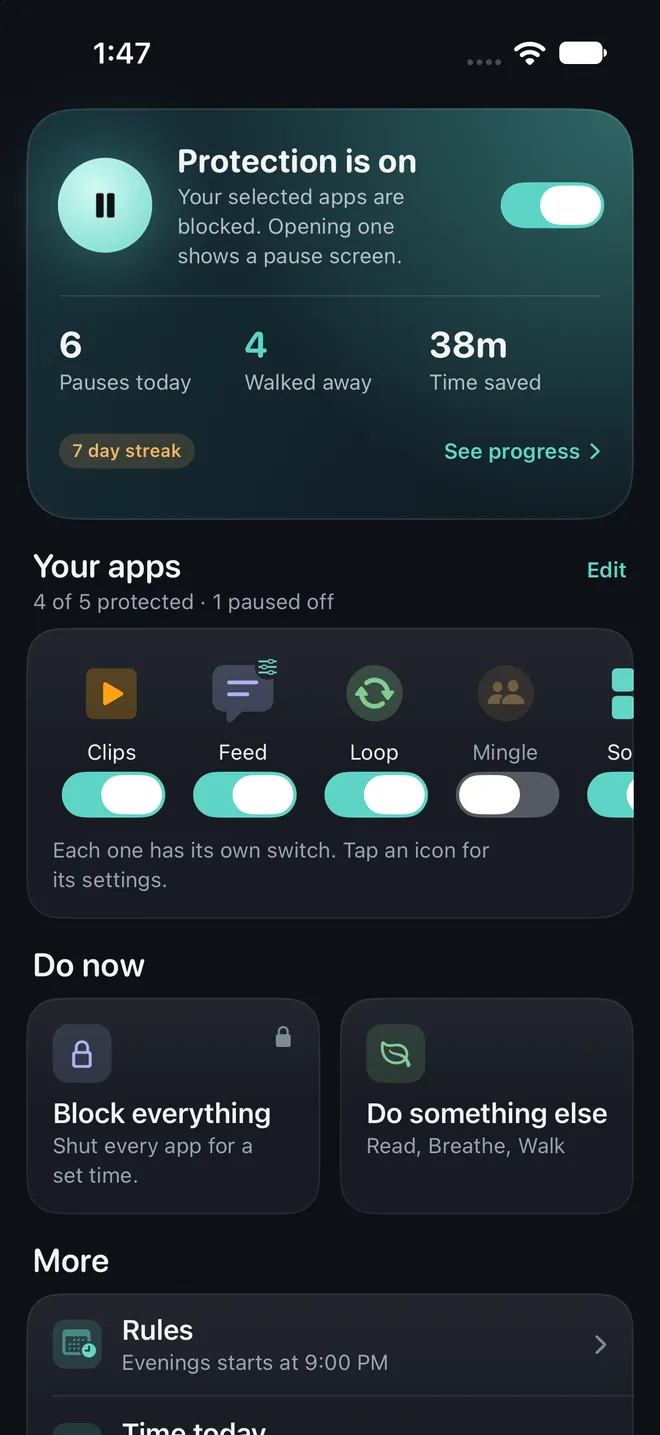
Choose the apps that take your time
Pick them in Apple's own picker. Two are free, and Premium covers every app, website and whole category you choose.
Pausely uses Apple's Screen Time, the same system behind iOS's built in app limits. It asks for that permission once, and you can take it back in Settings at any time.
- When you tap one
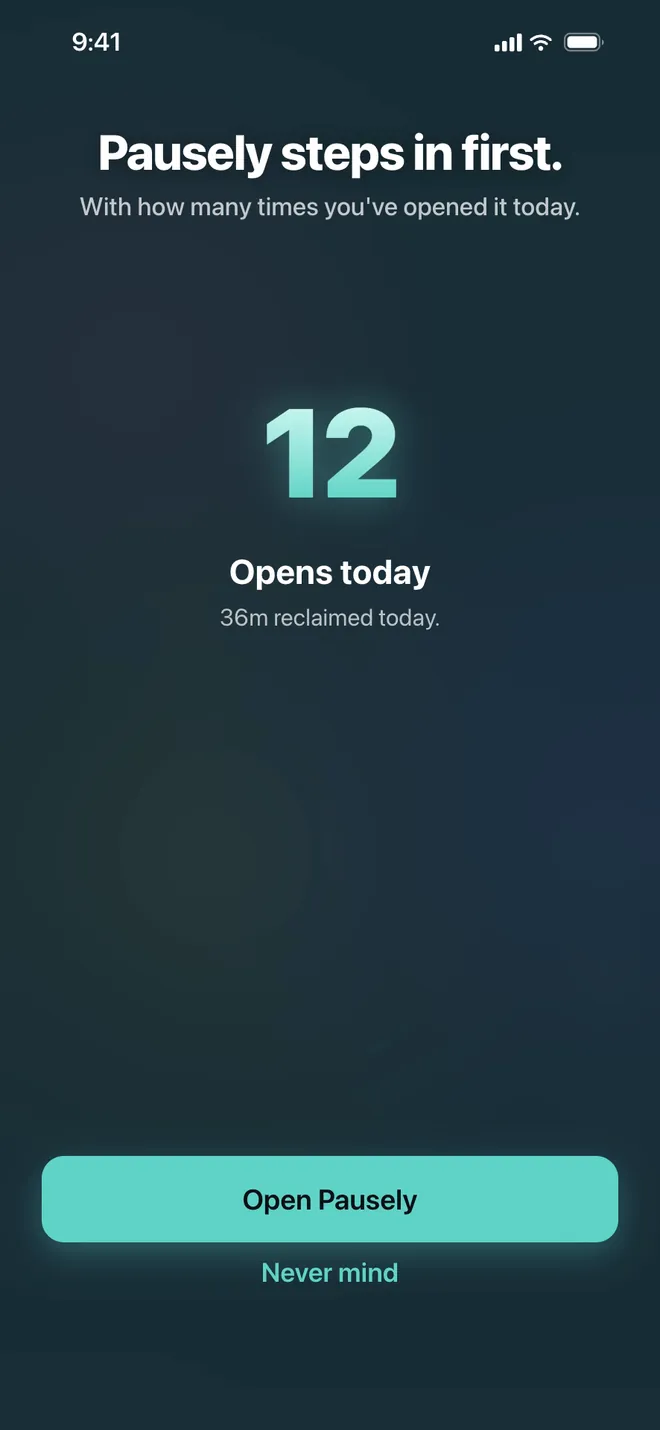
The block screen comes first
Instead of the app, you see a number: how many times you have opened it today. No comment, no lecture. Only the number.
Tap Open Pausely to take the pause, or Never mind to leave the app closed. iOS draws this screen, so the picture here comes from our App Store preview.
- Ten seconds
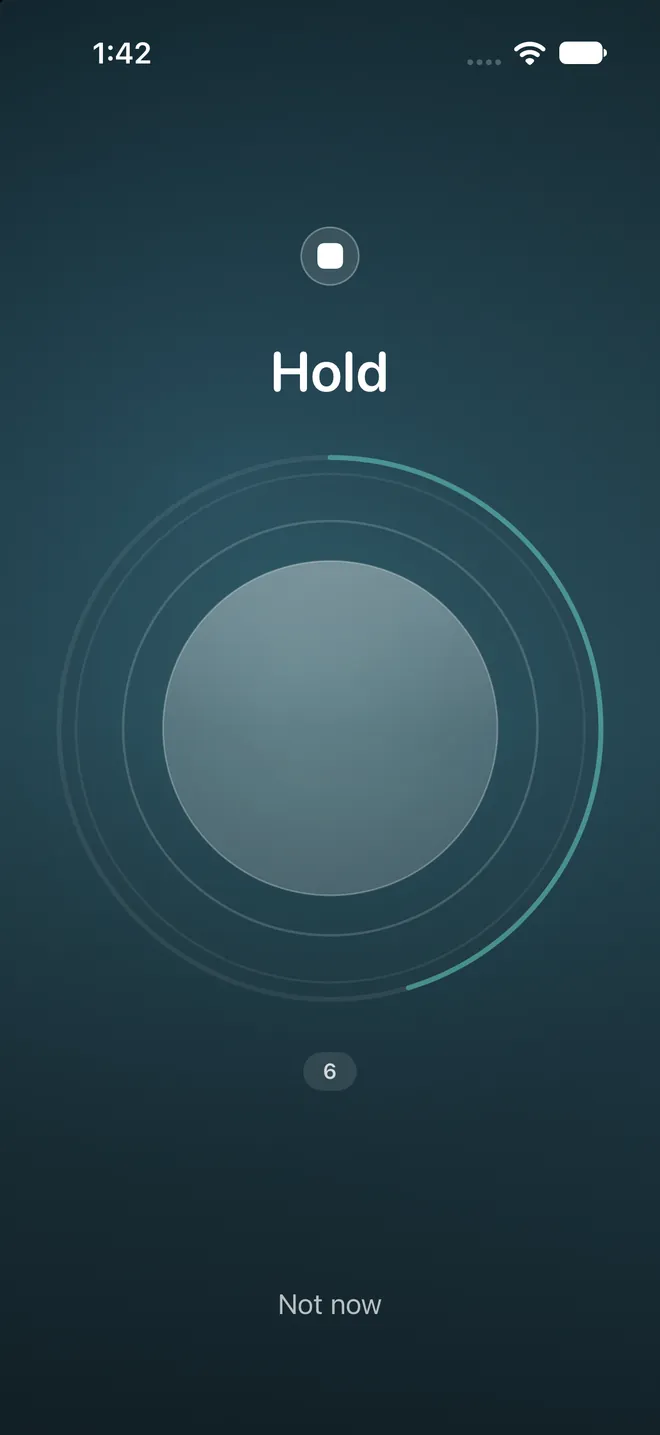
A pause before you go in
The breathing pause is the one everybody starts with: in for four seconds, hold for two, out for four.
With Premium you can swap it for typing a short string, picking why you are opening the app, or reading a reminder. Or let Pausely pick a different one each time.
- Then
You choose, on purpose
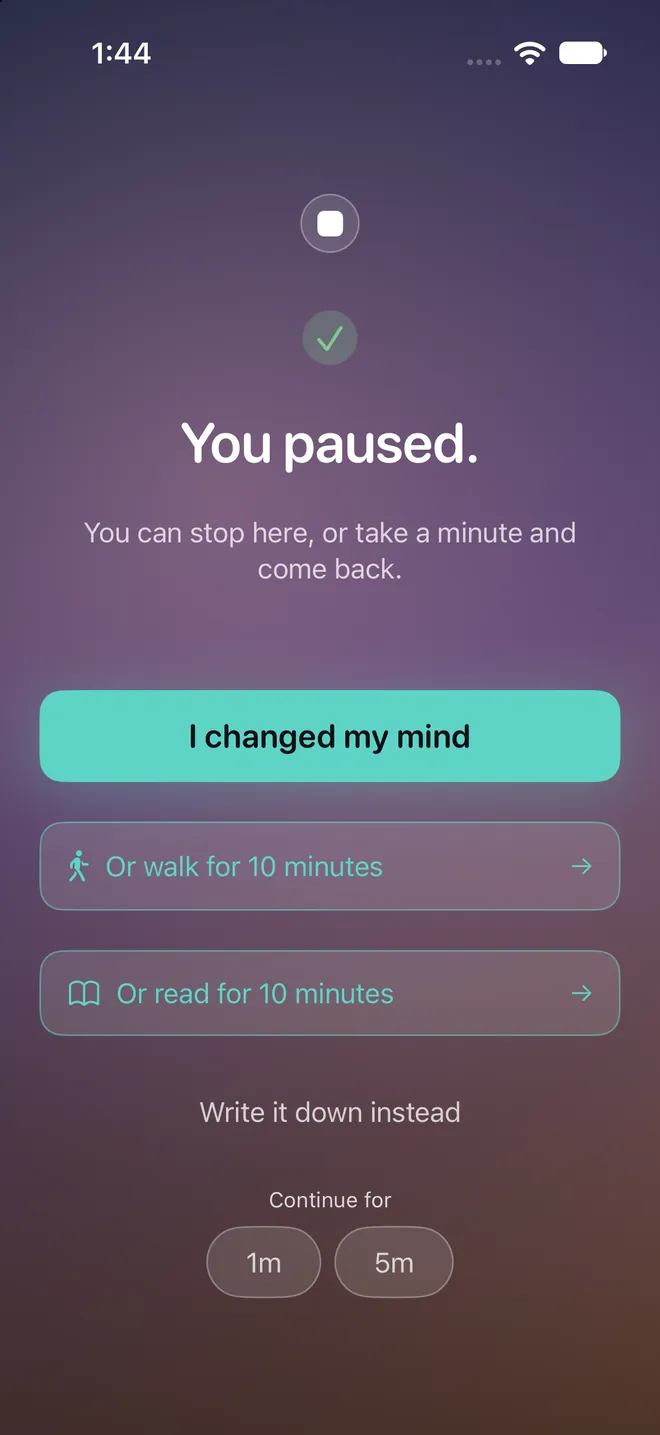
I changed my mind closes it there, and Pausely counts the win.
Under Continue for, tap 1m or 5m and the app opens for that long. Or take the third way out: one of the things you said you would rather do, such as a walk, a book or a glass of water, with a timer when you start it.
- If you go in
The time is yours, and it ends
A countdown runs on the Lock Screen and in the Dynamic Island while the app is open.
When the time is up, the pause is back in front of the app. Nothing is taken from you. You are asked again.
4:32Then the pause comes back. - Over time
Watch it add up
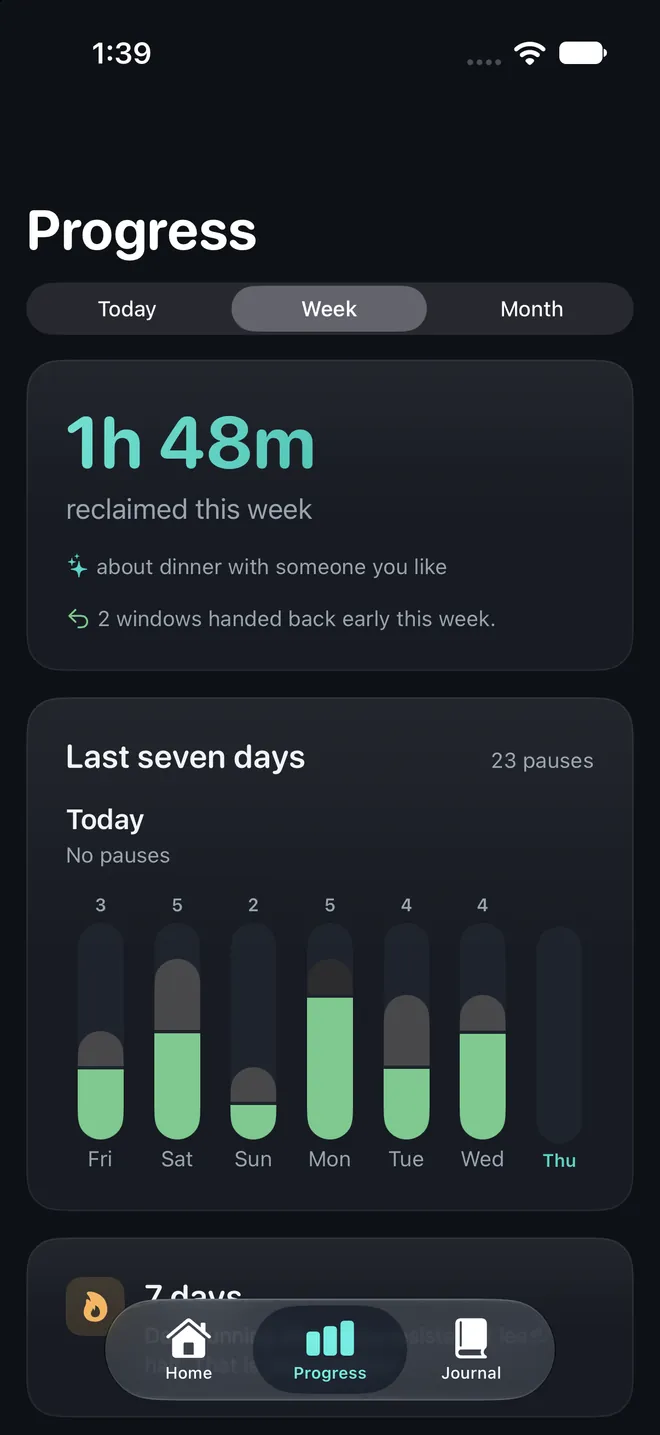
Progress shows pauses today, the times you walked away, the time saved, your streak and a chart of the week. All of it is free.
Time per app shows today's minutes in the apps you chose. With Premium, Pausely also shows your patterns over four weeks.
Gentle by default. Firm when you ask.
Some days a breath is enough. Some weeks you want a boundary that holds. You choose how strict Pausely is.
Six kinds of pause
- Deep breathTen seconds of breathing before you continue.Free
- Type to proceedType a short string of characters first. Hard to do on autopilot.Premium
- Set an intentionTap why you are opening the app. One tap, twelve reasons.Premium
- Read a reminderA line to read before you go in, from Pausely or written by you.Premium
- Answer a questionOne question about your country, one try. Written by AI, and off until you turn AI pauses on.Premium
- Reflect for a momentA short exchange about why you are here. Written by AI, and off until you turn it on.Premium
Ways to make it hold
- RulesProtect certain apps at certain hours, such as bedtime or the working day. One rule is free.Free
- Daily limitsAfter so many minutes or so many opens, an app rests until tomorrow.Premium
- Block everythingShut every protected app for as long as you choose.Premium
- Strict modeHolds until a time you pick. Nothing can be undone before then, not even by you.Premium
- Lock PauselyEvery change waits first, and no app can be deleted while it is on.Premium
The two AI pauses are off until you switch them on, and the Privacy Policy lists what they send. Read it
And around the pause
- Things to do insteadPick up to three things you would rather do. They sit on the choice screen as a third way out. Premium has room for six.Free
- A journalFor the times you would rather write than scroll. It stays on your device.Free
- Time bannersEvery few minutes in an app you picked, a banner says how long you have spent in it today.Premium
- Short videosAbout how many short videos your time came to. An estimate, never a count.Premium
- Widgets and SiriHome Screen and Lock Screen widgets, Control Center buttons, Siri and Shortcuts.Premium
Setting it up takes a few minutes.
- Choose your apps. Apple asks for Screen Time access on the same screen. Pausely can't work without it.
- Try your pause once, so you know what is coming.
- Add things you would rather do. A walk, a book, a glass of water, or something of your own.
- Allow notifications if you want them. Pausely says why it uses them first.
- Done. Open one of your apps and meet the pause.
Free to start.
iPhone and iPad, iOS 17 or newer.